
Spacer: Add vertical space between blocks
The Spacer block adds vertical space between blocks in your reel. Use it to create visual separation or improve your layout.
Jump to: Adding a spacer · Adjusting size · Common questions
Adding a spacer
- Click the + icon between blocks
- Select Spacer from the menu
Adjusting size
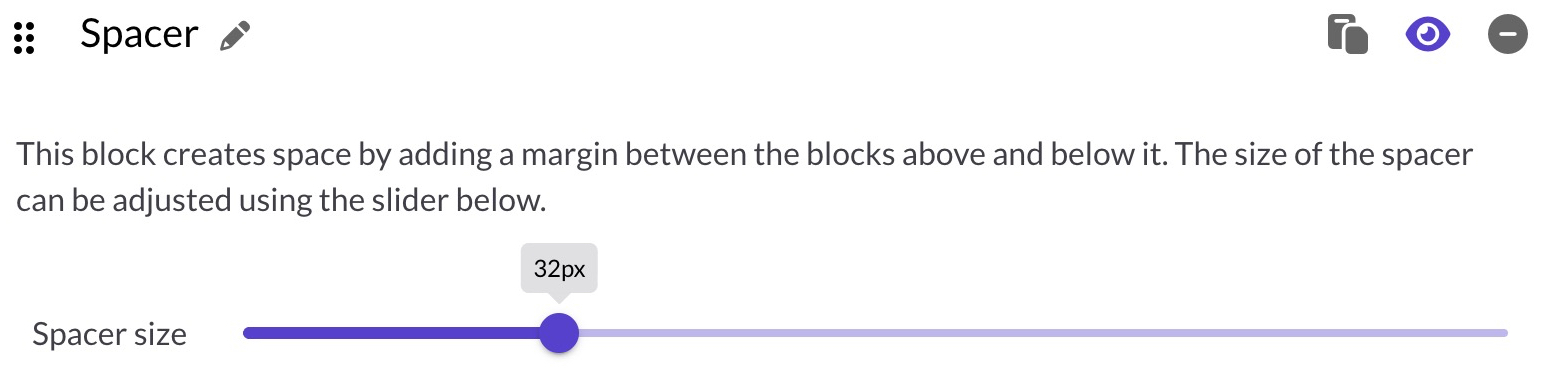
Use the slider to set the spacer height from 0 to 128 pixels. The default is 32px. The label shows the current size as you drag.
- 0px: No extra space
- 128px: Maximum separation
Common questions
When should I use a spacer?
Use spacers to add breathing room between sections, separate content visually, or fine-tune your reel's layout.
Can I add multiple spacers?
Yes, you can add as many spacers as you need throughout your reel.
Will the spacer be visible to viewers?
No. The spacer is invisible, it just adds empty space between blocks.