
Video detail page
The video detail page is where you manage a video: preview it, see where it's used, and access actions like downloading or choosing a thumbnail. Click any video in your Video library to open its detail page.
Jump to: Actions · Tags · Information · Common questions
Actions
At the top of the page you'll find the back button, the video name (click the pencil to edit), and actions you can take. If you don't see a specific action, check the three-dot menu.
The available actions depend on whether you uploaded a video file or linked a YouTube/Vimeo video.
For uploaded videos

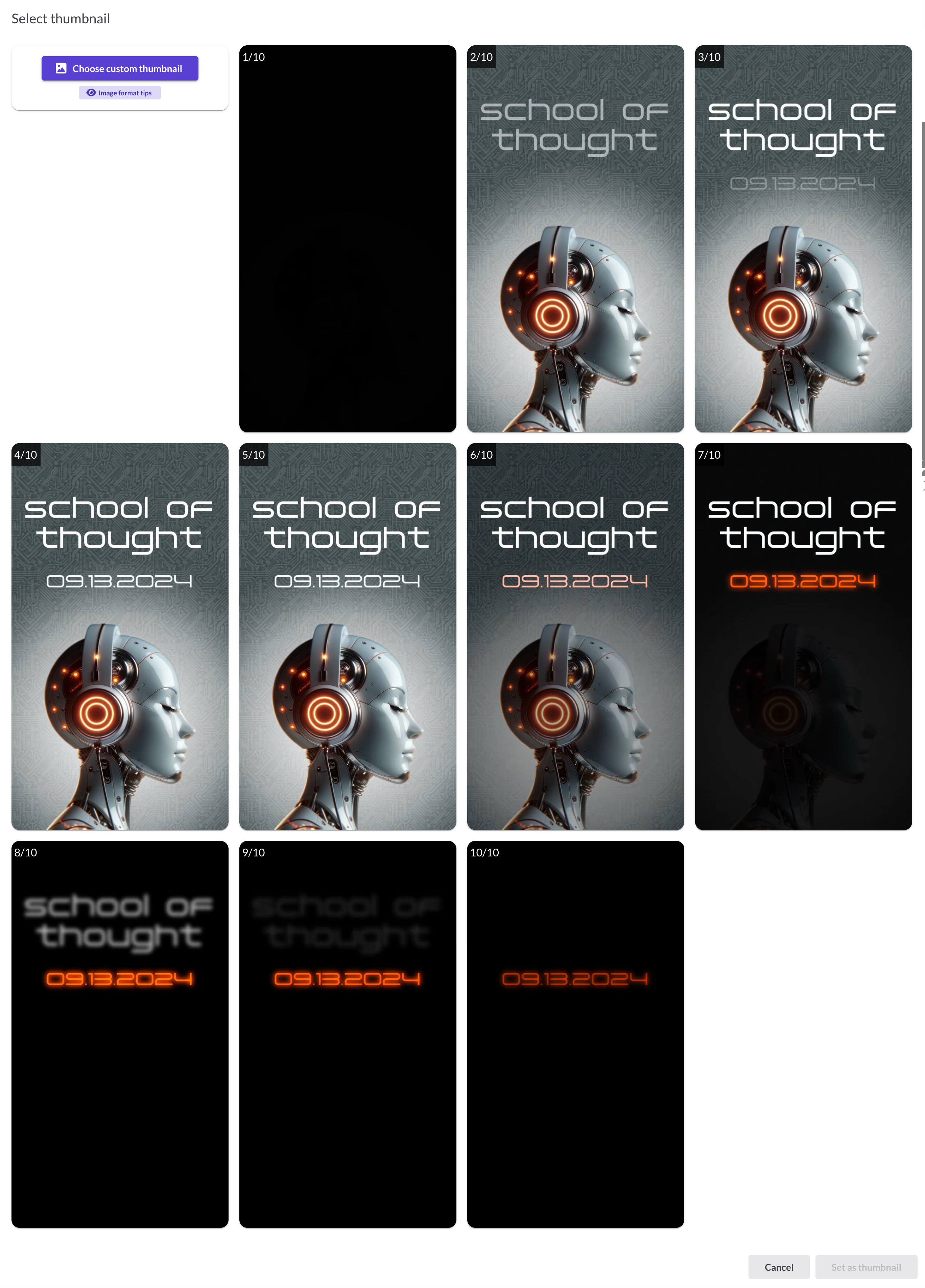
- Choose thumbnail: Pick from automatically generated thumbnails or upload a custom image
- Download full-length video: Download the video file you uploaded
- Move to folder: Organize the video into a folder
- Delete: Move the video to Trash
For YouTube/Vimeo videos
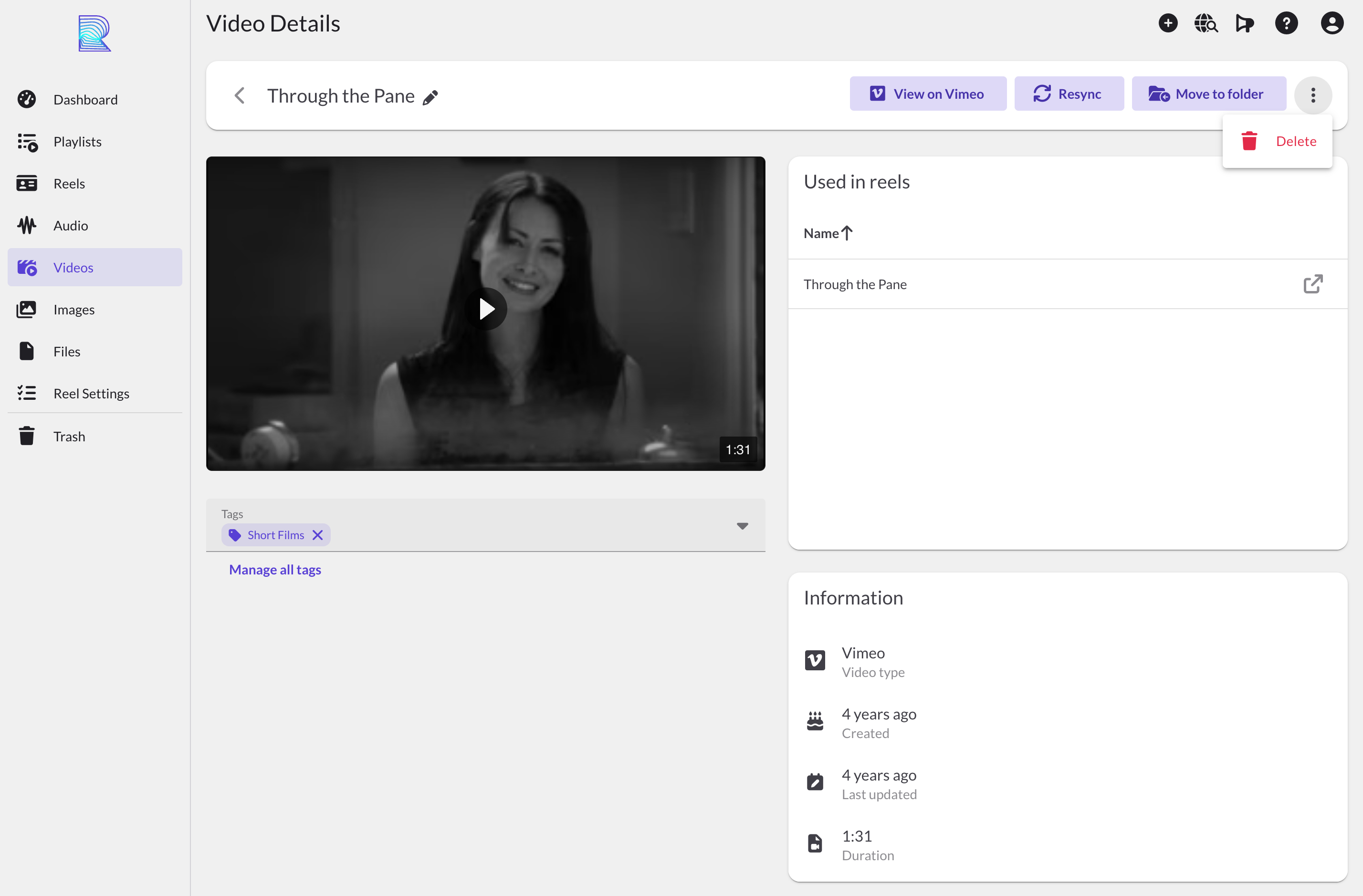
- View on YouTube/Vimeo: Open the original video on the hosting platform
- Resync: Update the video's title, duration, and thumbnail from the source
- Move to folder: Organize the video into a folder
- Delete: Move the video to Trash
Tags
Below the video player is the tag input. Add tags to organize your videos and use them with Smart Folders. Type to search existing tags or create new ones. For more details, see Tags.
Information
The Information panel shows where this video is used and technical details:
- Used in Reels: Lists all reels containing this video
- Video type: MP4 (hosted on ReelCrafter), YouTube, or Vimeo
- Created: When you added the video
- Last updated: When the video was last modified
- Dimensions: Video resolution (for uploaded videos)
- Duration: Video length
Common questions
How can I see what reels my video is used in?
Check the "Used in Reels" section in the Information panel on the right side of the page.
How do I change the thumbnail for an uploaded video?
Click Choose thumbnail at the top of the page. You'll see a grid of automatically generated thumbnails from different points in the video. Select one, or upload a custom image from your Image library.
Why don't I see a thumbnail option for my YouTube/Vimeo video?
Linked videos use the thumbnail from the source platform. Use Resync to pull the latest thumbnail if it's changed.
What does Resync do?
Resync updates the video's title, duration, and thumbnail from YouTube or Vimeo. Use this if you've made changes to the original video.
Where can I see which tags are on this video?
Tags appear below the video player. You can add or remove tags there.