
Edit in ReelCrafter button
When you're logged into ReelCrafter and viewing one of your own published reels, an Edit in ReelCrafter button appears in the bottom-right corner. Click it to jump straight into the Reel Builder and start making changes.
Jump to: How it works · Custom domains · Editing from the Reel Library · Common questions
How it works
The Edit in ReelCrafter button only appears when:
- You're logged into ReelCrafter
- You're viewing a reel you ownNo one else sees it. Recipients, clients, and other ReelCrafter users (even when they're logged into their own accounts) won't see the button. The public viewing experience stays clean.
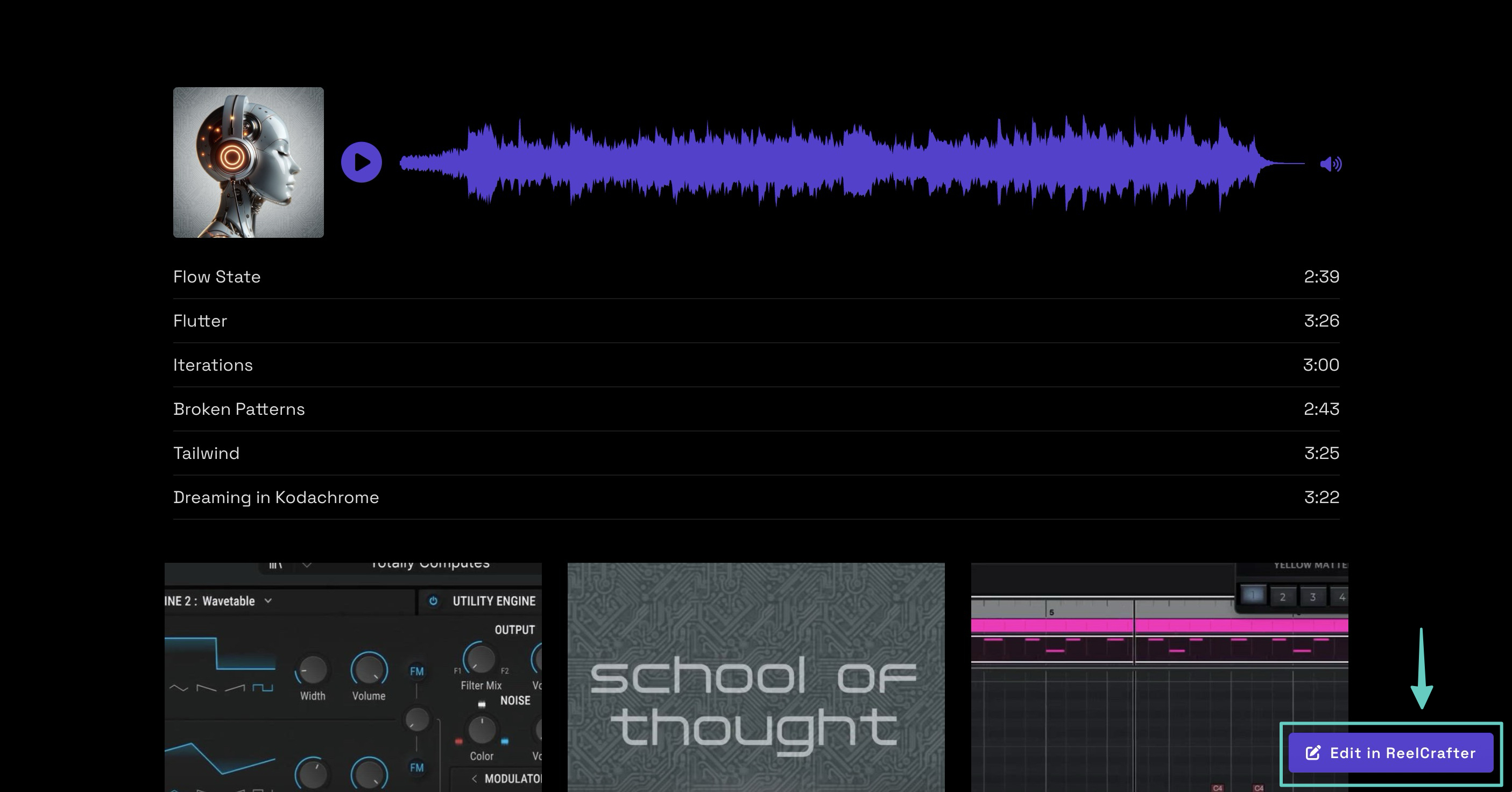
Click the button and the reel opens in the Reel Builder, where you can add and remove content blocks, reorder them, adjust the theme, and manage sharing settings.
Your changes are handled through drafts:
- If you have a draft in progress: you'll resume it where you left off
- If you don't: the editor starts a new draft from your published reel
Work stays a draft until you publish. The live reel doesn't update until then, so you can take your time without affecting what recipients see.
Custom domains
The floating Edit in ReelCrafter button doesn't appear on reels served through a Custom Domain. If you're using a custom domain, edit your reel from the Reel Library instead.
Editing from the Reel Library
You can also reach the Reel Builder from the Reel Library. Click the three-dot menu on any reel and choose one of these options:
- Edit in Reel Builder: shown when no draft exists yet
- Resume editing: shown when a draft is already in progress
Both options open the same editor as the floating Edit in ReelCrafter button. This is also your go-to method if your reel is on a custom domain.
Common questions
Can anyone else see the Edit in ReelCrafter button on my reel?
No. You're the only one who sees it. Recipients, clients, and other ReelCrafter users won't see the button, even if they're logged into their own ReelCrafter accounts.
Will clicking Edit in ReelCrafter change what recipients see?
No. Your edits go into a draft. The live reel stays exactly as it was until you publish your changes.
What happens if I already started a draft?
You'll pick up right where you left off. The editor opens your existing draft instead of starting a new one.
Why don't I see the Edit in ReelCrafter button on my reel?
A few things to check. Make sure you're logged in and that you're the owner of the reel. If the reel is served through a Custom Domain, the button won't appear there, so edit from the Reel Library instead.