
Waveform Styles: Customize Your Player's Waveform
Waveform Styles let you restyle the audio waveform in your reel's player. There are multiple styles to choose from, ranging from clean bars to artistic and glitch treatments. The style only changes the waveform's appearance, not the audio, the playhead, or how playback works. Waveforms only appear in playlists with audio.
Available on the Professional plan.
Jump to: Setting a default for all reels · Changing the style on one reel · The waveform styles · Choosing a highlight color · Common questions

Setting a default for all reels
To pick the waveform style used across your account, go to Settings → Design Defaults and find Default Waveform Style.
 Pick a style from the dropdown. Each option shows a live preview rendered in your theme colors. This section also includes the Waveform color(s) picker for styles that use a second color (see Choosing a highlight color).
Your default applies to reels you create going forward. New reels use Bars if you haven't set one. Changing the default doesn't affect existing reels; to restyle those, update each one in its Theme Settings.
Changing the style on one reel
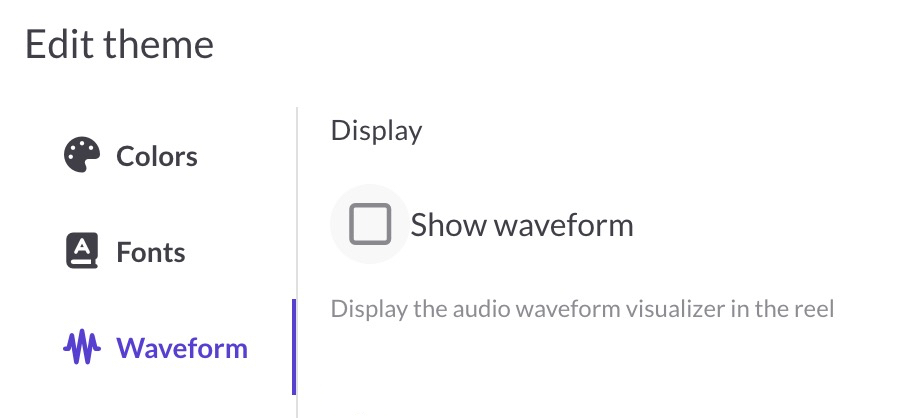
Any reel can override your account default. Open the reel, then open Theme Settings and go to the Waveform tab.
Two sections control the waveform:
- Display: the Show waveform checkbox turns the waveform on or off for this reel. When it's off, the player shows a basic progress bar instead.
- Style: the Waveform color(s) picker and a grid of style tiles, each showing the style name with a live preview in your theme colors
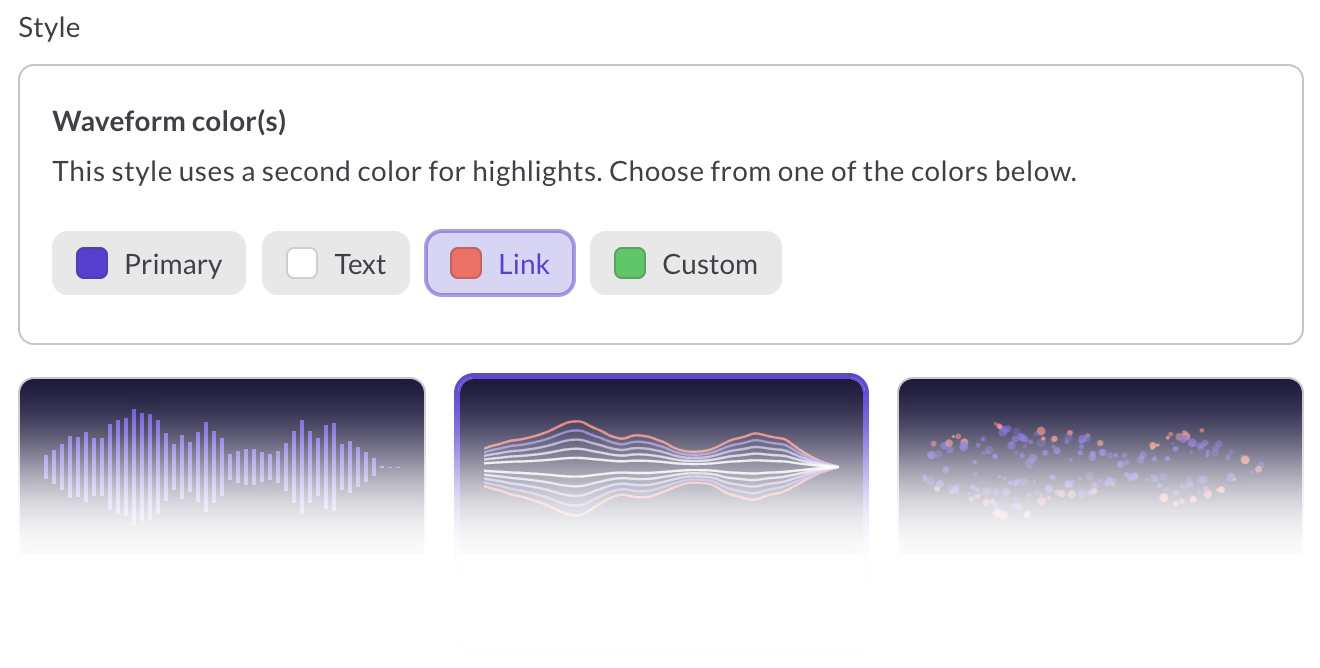
Click a tile to apply that style to this reel. If Show waveform is unchecked, the style and color controls are disabled.
The waveform styles
Playback works the same in every style: the unplayed portion is dimmed while the played portion is bold, so you can see progress at a glance. Some styles add a second highlight color.

- Bars: The default. Clean, evenly spaced vertical bars with a subtle gradient.
- Contour Lines (two-color): Nested outlines like a topographic map. The outermost line uses your highlight color.
- Dot Stipple (two-color): Pointillism. Louder moments get denser dots, with the outer spray of dots in your highlight color.
- Glitch: A digital, distressed look with pixel blocks, ragged edges, and stray artifacts.
- LED Meter: A segmented console level meter, mirrored above and below the center line. Louder moments light more segments.
- Liquid Layers (two-color): Soft, rounded layers stacked inside each other. Inner layers use your highlight color.
- Technician: A smooth, continuous filled waveform with no gaps. A clean studio look.
- The Recording: A jittery, hand-drawn seismograph line that occasionally drops out, like a worn vintage tape.
- Threaded (two-color): Overlapping layers with a rough edge, and a thin line in your highlight color running through the center.
Choosing a highlight color
Four styles use a second color for highlights: Contour Lines, Dot Stipple, Liquid Layers, and Threaded. When one of these is selected, the Waveform color(s) picker becomes active and you can choose the highlight from four chips:
- Primary: your theme's primary color (the default). Choose this if you'd rather keep the waveform all one color.
- Text: your theme's text color
- Link: your theme's link color
- Custom: opens a color picker so you can choose any color
 Primary, Text, and Link follow your theme. If you edit your theme colors later, the highlight updates to match. Custom locks in a fixed color that doesn't change with your theme.
Style and color changes preview live, so experiment until you find the combination that works best for your reel.
Common questions
Which waveform styles use two colors?
Contour Lines, Dot Stipple, Liquid Layers, and Threaded. The other five styles (Bars, Glitch, LED Meter, Technician, The Recording) use a single color, and the Waveform color(s) picker is inactive when one of them is selected.
What style do my reels use if I never pick one?
New reels start with your account default from Design Defaults, or Bars if you haven't set one. You can change any reel's style in that reel's Theme Settings.
Why are the style controls grayed out in Theme Settings?
The Show waveform checkbox is unchecked, so the player is showing a basic progress bar instead of a waveform. Check the box to enable the style and color controls.
Does changing the waveform style affect playback?
No. The style only changes how the waveform looks. Playback, the playhead, and your audio are unchanged.
Why did my highlight color change after I edited my theme?
The Primary, Text, and Link options follow your theme's live colors, so editing your theme updates the highlight to match. If you want a color that never changes, use Custom.