
Dashboard: Reel Analytics (Last 30 Days)
The Reel Analytics card on your Dashboard gives you an at-a-glance summary of how people are engaging with your reels over the last 30 days.
Jump to: The 30-day window · What each metric means · Free vs. Advanced Analytics · When there's no data · Common questions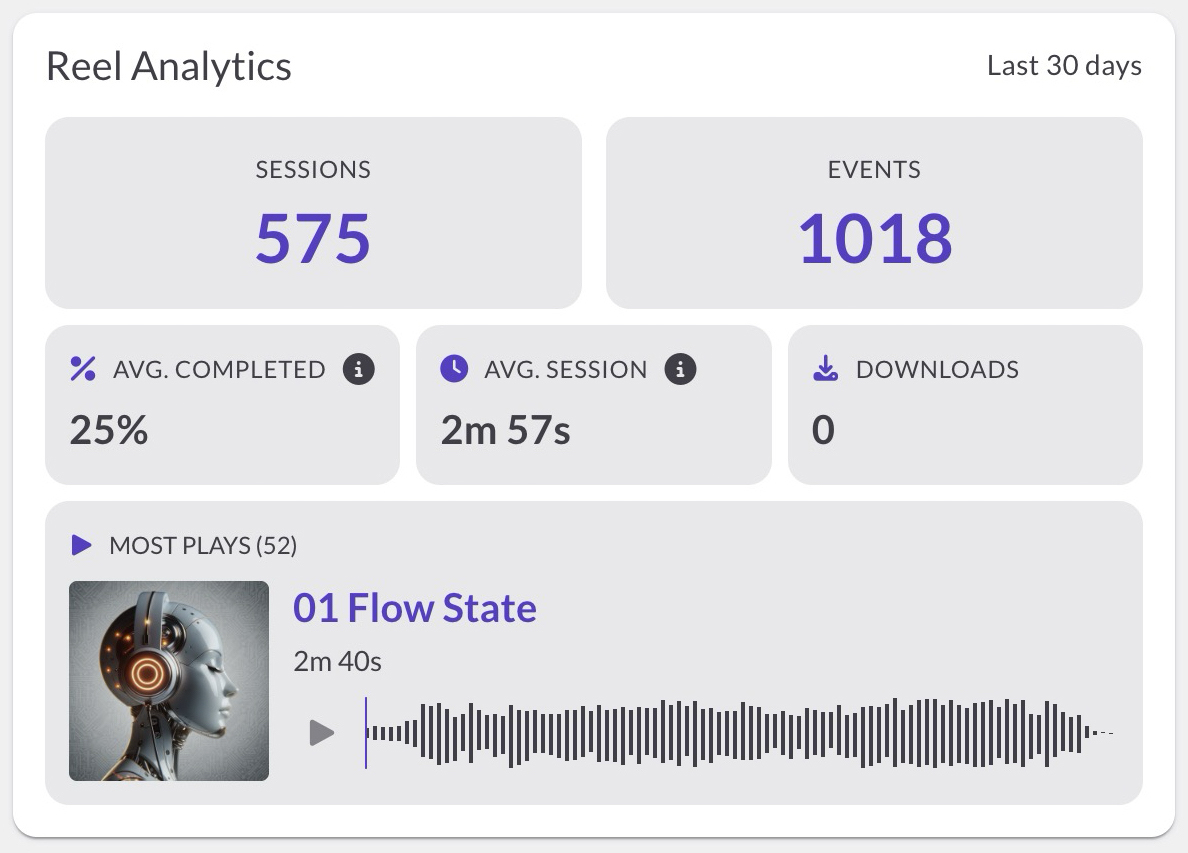
The 30-day window
The card pulls data from a rolling 30-day window: today plus the previous 29 days. It recalculates every time the Dashboard loads, so the range always tracks the most recent 30 days.
There's no date picker on this card and no way to export the data. It's a fixed snapshot you can scan at a glance. For custom date ranges or per-session detail, use Recent Activity below.
Owner sessions aren't counted. Sessions from IP addresses that match one of your recent logins are excluded from the card's totals. If your team works from the same network as you, their sessions will be excluded too, and there's no setting to override this. Recent Activity still shows owner sessions with a special icon. It's only the Reel Analytics card that filters them out.
What each metric means
The card has six metrics. Two are visible to everyone. Four require Advanced Analytics (see Free vs. Advanced Analytics).
Sessions
How many visits your reels got. Each time a visitor opens a reel through a share link, that's one session.
Events
The total number of interactions across all those visits. Every play, pause, stop, seek, download, Save to ReelCrafter click, link click, and reach-the-end counts as an event. One visitor can generate many events in a single session, so this number is almost always larger than Sessions.
Avg. completed
On average, how much of each track or video visitors get through, as a percentage.
Avg. session
The average time per visit that your reel was open and active in the visitor's browser. The timer pauses when they switch to another tab or minimize the window, so this reflects genuine attention, not just a tab left open.
Downloads
How many times visitors downloaded content from your reels.
Most plays
The single most-played item across all your reels in the last 30 days, with its play count shown in parentheses (for example, "Most plays (42)"). The item can be a full audio track, a snippet of a track, or a video:
- Audio: shows cover art, title, length, and a mini player so you can preview it right there
- Snippet: shows the same as audio, plus the snippet name
- Video: shows a thumbnail
Click the title to open that item's detailed analytics page.
Free vs. Advanced Analytics
Sessions and Events are visible on every plan.
Avg. completed, Avg. session, Downloads, and Most plays require Advanced Analytics (an active paid subscription with that feature).
If you don't have Advanced Analytics, those four metrics appear blurred with an Upgrade to unlock full analytics button.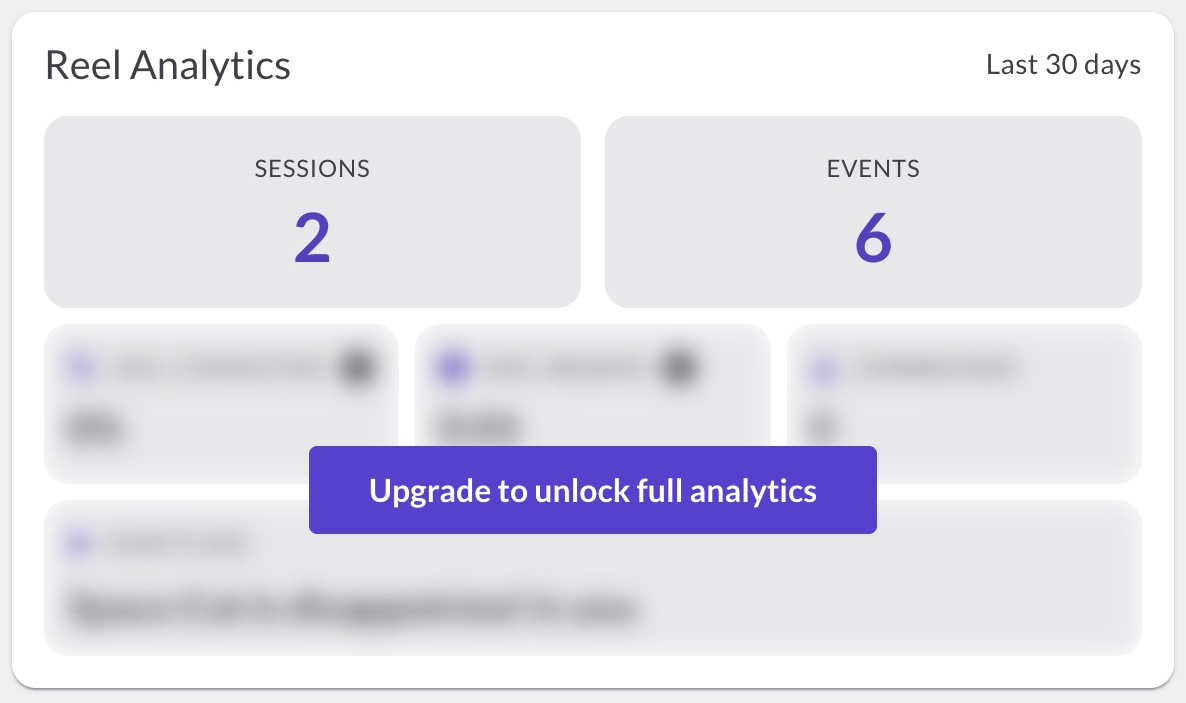
When there's no data
You won't see data until there's data to show. The card fills in as soon as people start engaging with your reels.
Common questions
What's the difference between Sessions and Events?
A session is one visit. An event is one interaction inside that visit (a play, pause, click, download, and so on). One visitor can generate many events in a single session, which is why the Events number is almost always larger.
Why is the average session lower than I expected?
Average session measures active attention, not wall-clock time. The timer pauses whenever the visitor switches to another tab or minimizes the window, so a reel that sat open in a background tab for an hour won't add an hour to this number.
Can I change the date range or pick a custom one?
Not on this card. It's a fixed rolling 30-day snapshot. For custom date ranges and per-session detail, use Recent Activity.
Can I export the data?
Not from this card. It's designed as a quick summary, not a report.
Is Most plays a list?
No. It's a single item: the one with the most plays across all your reels in the last 30 days. If multiple items are tied, the card shows one of them.
Why are some metrics blurred?
Avg. completed, Avg. session, Downloads, and Most plays require Advanced Analytics. If your plan doesn't include it, those four are blurred until you upgrade.
Why don't my own test sessions show up here?
The card filters out any session from an IP address matching one of your recent logins, so your own previews stay out of the totals. The trade-off: if your team shares your network, their sessions are excluded too, and there's no way to override this. Recent Activity still shows owner sessions, just flagged with a special icon.
What to do next
Want to dig into individual sessions and see exactly what each visitor did? Learn about Understanding Recent Activity.