
Dashboard Overview
The Dashboard is your home base in ReelCrafter. It gives you a quick overview of how people are engaging with your reels and how much of your plan you're using.
Jump to: Reel Analytics · Recent Activity · Account Usage · Embedded Player Activity
Reel Analytics
The Reel Analytics card sits at the top of your Dashboard with a "Last 30 days" label. It's a rolling 30-day rollup of how people are engaging with your reels, so the window always tracks the most recent 30 days and refreshes every time the Dashboard loads.
Everyone sees Sessions (how many visits your reels got) and Events (the total number of interactions across those visits). With Advanced Analytics, you also see Avg. completed, Avg. session, Downloads, and Most plays.
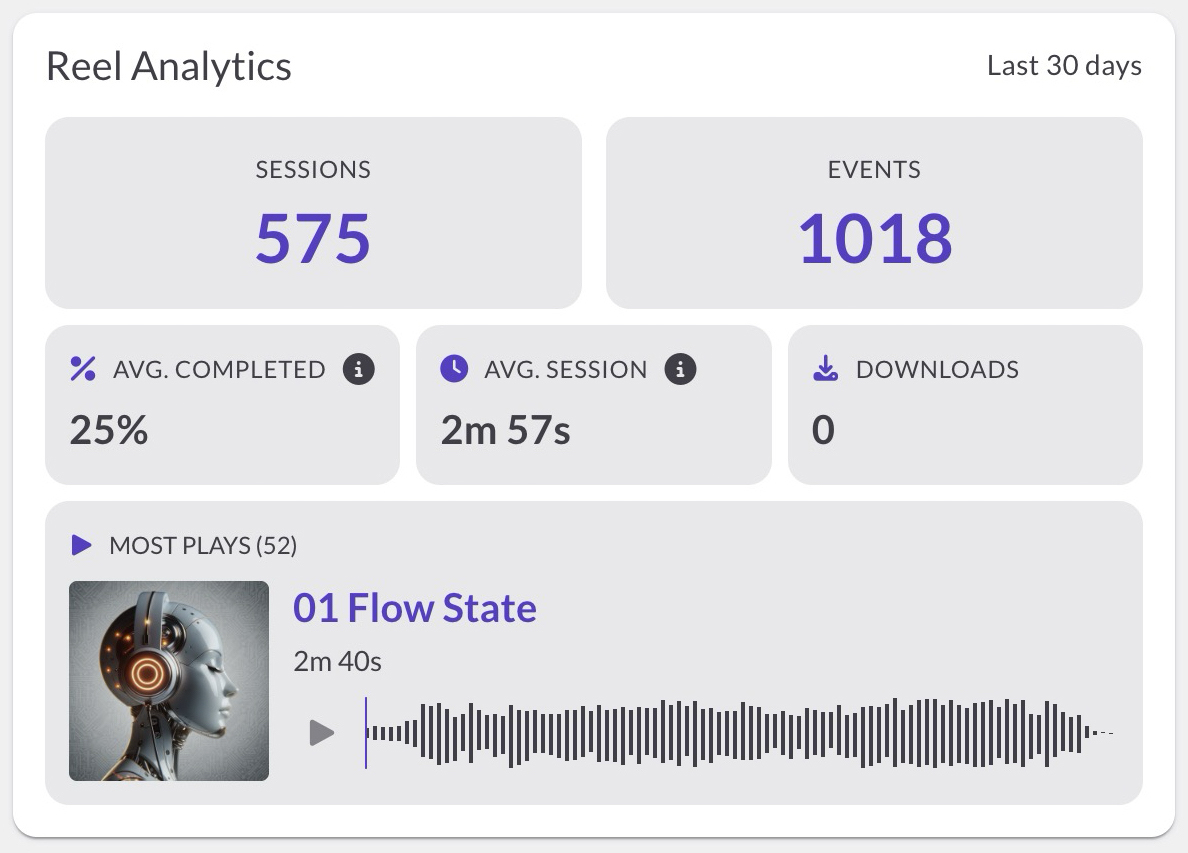
For a full breakdown of each metric, the rolling window, and what happens without Advanced Analytics, see Dashboard: Reel Analytics.
Recent Activity
Recent Activity shows who's been opening and engaging with your reels and playlists. Each session card summarizes one visit: how long they stayed, how much they played, and what they clicked, with a heatmap showing exactly which parts of your content they played. If someone opens your reel while you're on the Dashboard, you'll see it happen live.

Account Usage
Account Usage shows how much of your plan's limits you've used. You'll see gauges for:
- Tracks: audio files uploaded
- Reels: reels created
- Active Links: share links currently in use
- Embeds: embeddable players created
- Linked Videos: videos linked from external platforms
- Video Storage: space used by hosted video files
- File Storage: space used by downloadable files
Each gauge shows your current count against your plan's maximum. When you're approaching a limit, the gauge fills up to let you know.

Embedded Player Activity
Available on Professional and Starter plans.
If you've embedded a playlist on your website using an iframe, Embedded Player Activity shows how people interact with it outside of ReelCrafter. You can see total plays and a track-by-track breakdown.
Use the date range buttons (7, 30, or 90 days) to filter the view. If you need to start fresh, click Reset stats to clear the data for a specific date range or all time.

What to do next
Want to understand your analytics in detail? Learn about Understanding Recent Activity.